Title here
Summary here
Many operators start using the digital logbook partway through a flying career, with years of flights already recorded on paper. The start date marks the day your digital logbook begins, and keeps the two eras cleanly separated so the totals stay accurate.
Open the settings with the gear icon on any logbook:
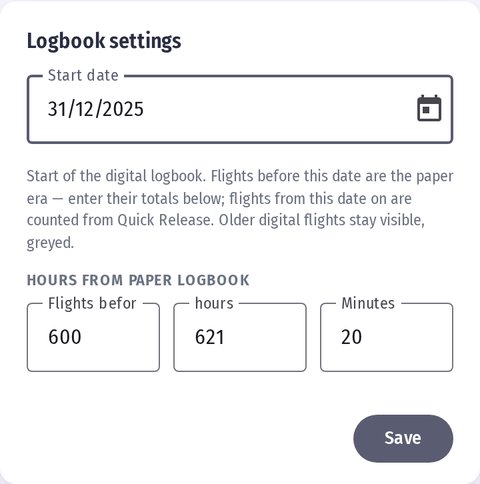
Set three values once (you can adjust them later):
This keeps every total honest — your paper years are counted once, and your digital flights are counted once, never both.
💡 Tip: set the start date to the day you switched to the digital logbook, then enter the flights and hours your paper logbook showed on that day.
Quick Release may already hold digital flights from before your start date. Those stay visible in the log list for reference, but are greyed out and marked with a small paper icon — a reminder that they belong to the paper era and are already counted in your prior totals, so they’re not counted again.
In the log list:
The PDF and CSV export opens with a short summary line — pre-digital, logged, and total flight time — so an exported logbook always reflects the complete picture.